Feed: SAS Blogs.
Author: Robert Allison.
They say “The Sun never sets on the SAS Empire” … and it’s true! There are SAS users all over the world, and SAS output & results could be in any language. Therefore, if you’re a SAS programmer, you might need to know how to create SAS graphs with international characters.
This example demonstrates one way to put Korean characters into a SAS graph (specifically, a graph created using Proc SGplot, in ODS Graphics). You can probably extend this concept into other languages as well. I chose Korean because I’m a bit fascinated by the characters in that language (and I had a lot of Korean friends in grad school).
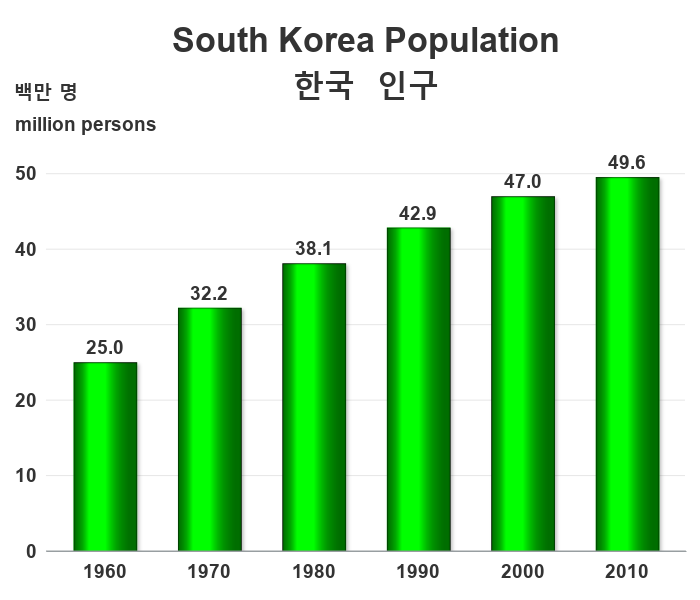
I used a bar chart of the population in South Korea for this example. Here’s the version of the bar chart, with English text, created using Proc SGplot’s vbar statement.
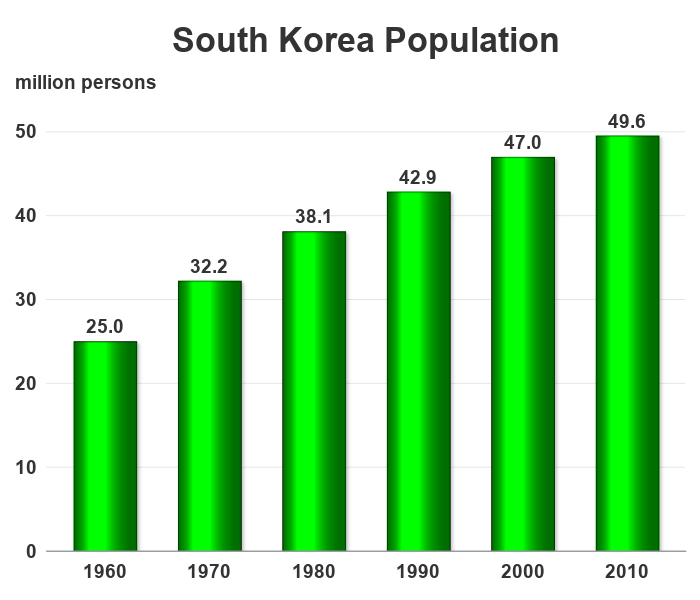
It’s not a bad looking chart, but what if someone from Korea was reading it, and what if they prefer reading Korean rather than English? SAS can do that! …
First I went to the Google translator page, and translated the title text from English to Korean:
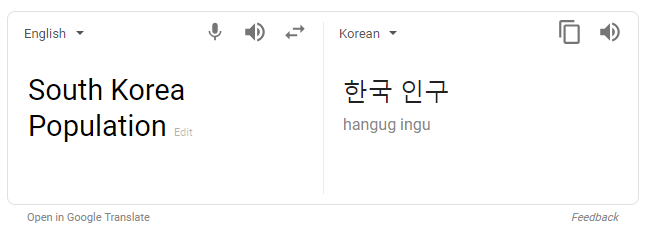
Then I did some Google searching, and found a page that tells more information about Korean characters. Here’s the URL for the first character:

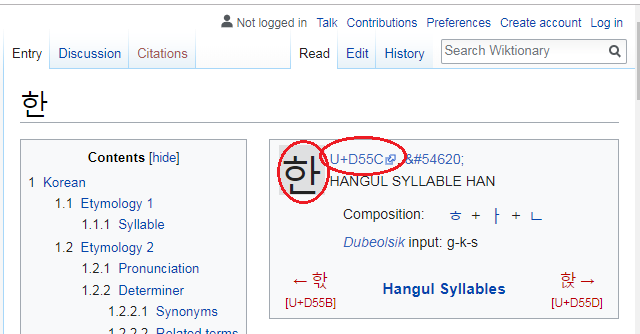
I went to the page (such as the URL above) for each of the characters, by copy-n-pasting the characters from the translator onto the end of the URL (one at a time), and determined the Unicode number for each character. Here’s the page for the first character, with the Unicode number circled in red:
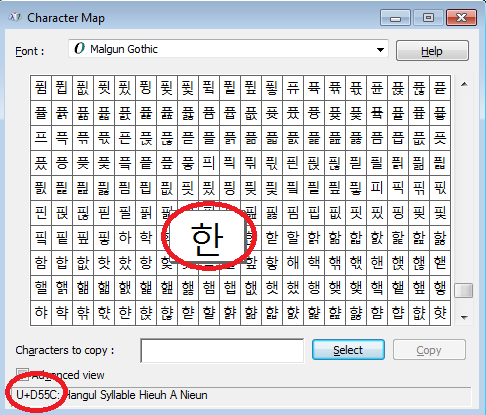
I then needed to find a font for the Korean characters. After a bit of Google searching, I found that Windows systems typically have a font called Malgun Gothic I might could use. I brought up the Windows Character Map program, selected the Malgun Gothic font, selected the D55C character, and confirmed that it looked like the character I wanted – Success! I now have all the pieces to make the desired graph happen!
In my title translation, there are 4 Korean characters. The Unicode numbers are D55C, AD6D, C778, and AD6C. But how do I get those into the title, and tell SAS that I want the Unicode characters from the Malgun Gothic (Korean) font? First I tell SAS to use the caret (shift+6) character as the escape character, and then I specify the codes as follows in a title2 statement, to add a second (translated) title:

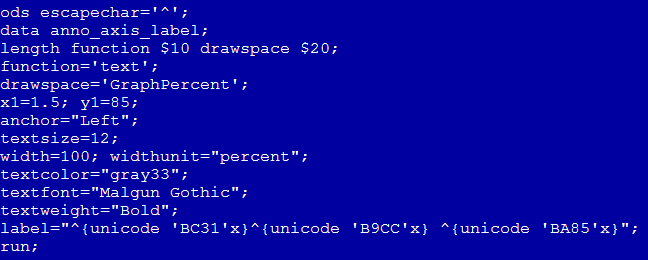
To add a second (translated) y-axis label, I used the following annotated text.
Now the graph includes a nicely translated version of the text, which should make my Korean friends happy! 
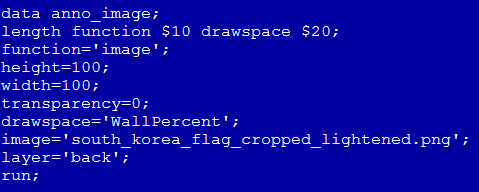
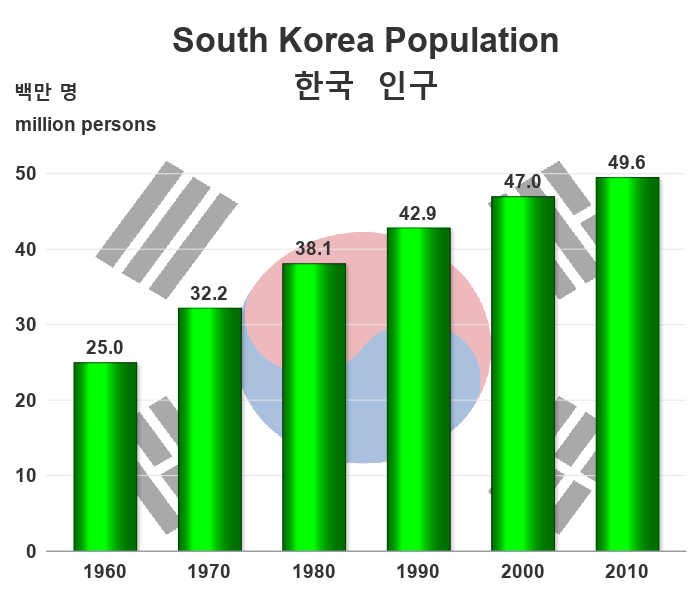
I should probably stop here … but let’s make one more enhancement. Let’s add a Korean flag behind the bars, so anyone will know (at a glance) that this graph is about South Korea. (The decision on whether or not to make a graph fancy really depends on who you anticipate your audience to be.)
And here’s the final graph:
Here’s a link to the complete SAS program, if you’d like to download it and experiment.